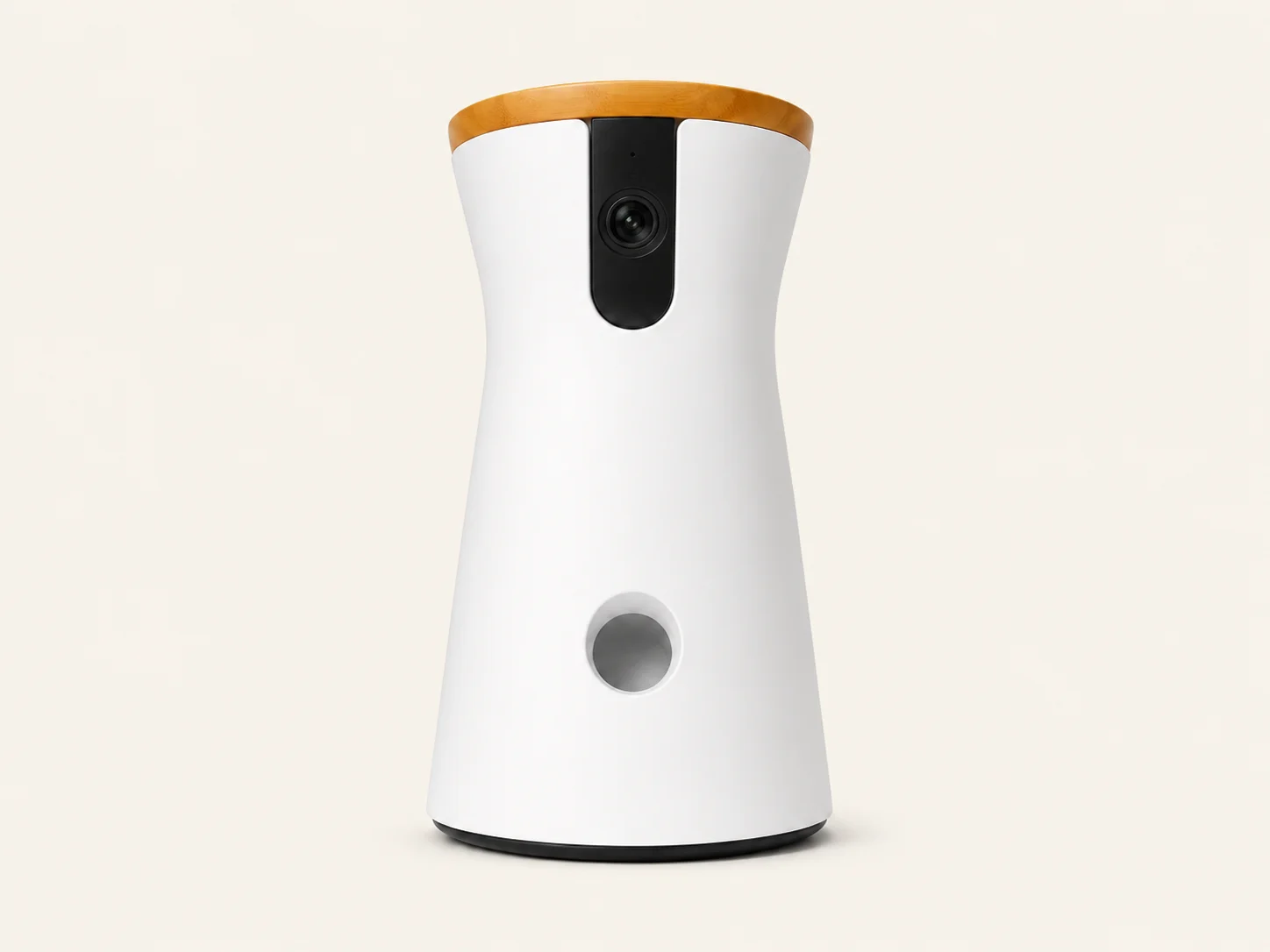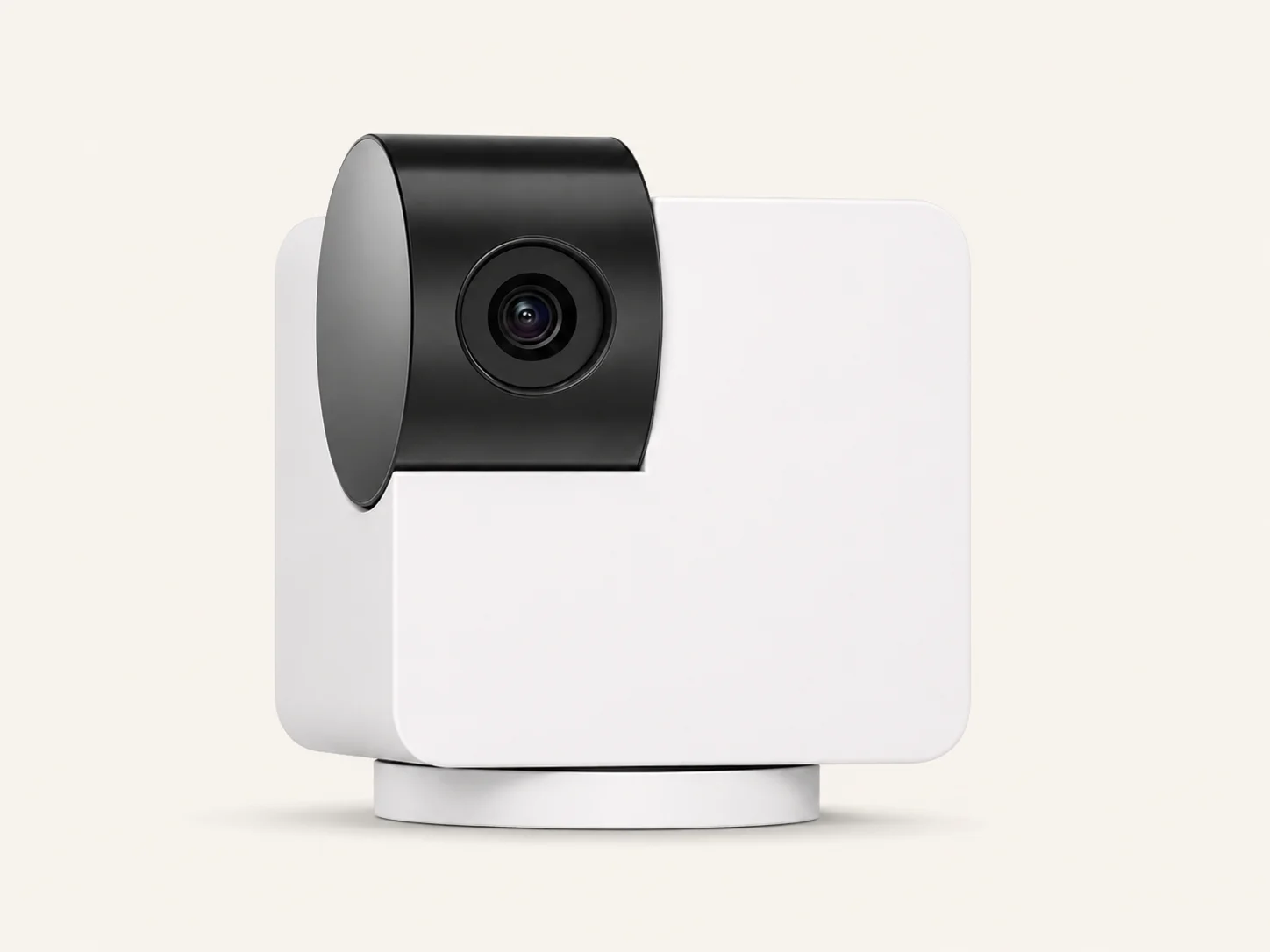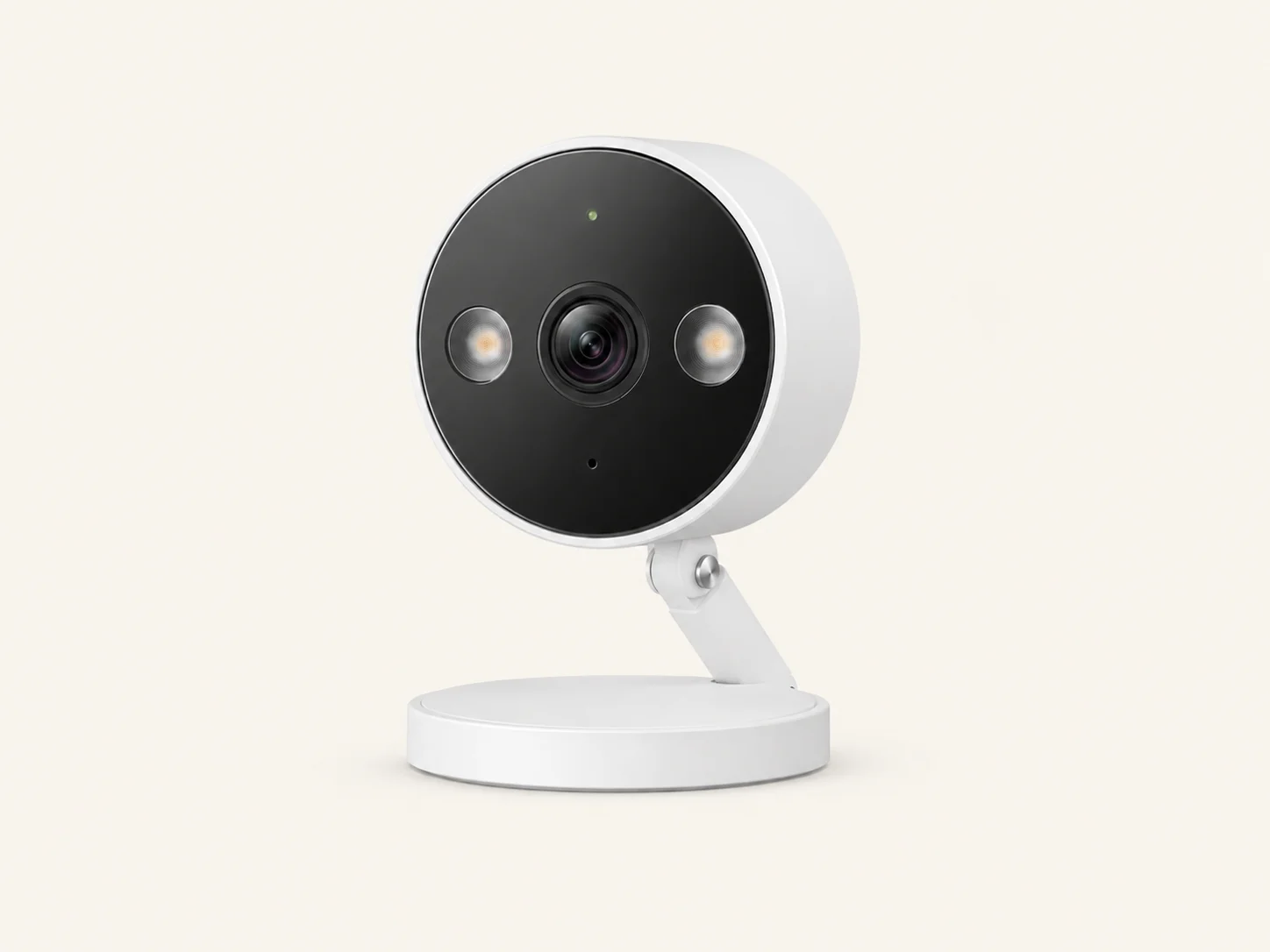

A pet camera with bark alerts can be useful if you are trying to figure out when your dog barks and what may be triggering it.
But it is not a barking cure. The real value is tracking patterns, reviewing video or audio, and choosing the right next step based on what the camera shows. Your supplied research frames this topic as a bark tracking and trigger-identification problem, not a direct “stop barking” product solution.
Immediate Answer
Yes, pet cameras with bark alerts are worth it if your main goal is to identify barking timing, frequency, and triggers. They may help you see whether your dog barks right after you leave, when neighbors make noise, when delivery drivers pass by, or when your dog sees movement through a window.
They are not worth it if you expect the camera to automatically stop barking. A camera is mainly a monitoring tool. For many dogs, the actual solution may still be window blocking, sound management, training, enrichment, or professional help.
This article may contain affiliate links. If you buy through these links, we may earn a commission at no extra cost to you. We only include products or product types that match the problem discussed in this guide.
Quick Decision Table: Which Product Type Fits Your Dog’s Trigger?
| User problem | Best solution/product type | Best for | Avoid when / not best for |
|---|---|---|---|
| You do not know when your dog barks | Bark-alert pet camera | Timing and frequency tracking | If you only need occasional live viewing |
| You need to know if the trigger is sound or visual | Bark-alert camera with saved video/audio clips | Trigger diagnosis | If the camera cannot save or replay events |
| Your dog barks at window movement | Motion-alert or 360° camera | Seeing window, door, and patrol-route behavior | If barking is mostly sound-triggered |
| Your dog barks at hallway, neighbor, or delivery sounds | Audio-alert or bark-detection camera | Sound-trigger mapping | If the camera only records motion |
| You are on a low budget | Old-device dog monitor app or budget indoor camera with verified sound detection | Testing before buying dedicated hardware | If you need reliable night vision or always-on hardware |
| You already use home security cameras | Indoor security camera with sound/motion alerts | General pet monitoring | If it lacks bark detection or audio event history |
| Your dog panics when alone | Camera with video history + professional support | Documenting distress signs | Camera-only management is not enough |
| You want barking to stop automatically | Camera is not the main solution | Pattern tracking only | Avoid buying a camera as a “barking cure” |
How to Choose the Right Product for This Barking Problem
Start with what you need to learn.
If you only need to know when your dog barks, choose a bark-alert pet camera.
If you need to know why your dog barks, choose a camera with video history, audio clips, or event replay. A bark notification alone may tell you barking happened, but not whether the trigger was a hallway sound, a window view, a delivery driver, another dog, or alone-time stress.
If your dog barks at movement, prioritize camera angle, wide view, pan/tilt, or 360° coverage.
If your dog barks at sounds, prioritize bark detection, sound detection, sensitivity controls, and saved audio/video clips.
If your dog shows pacing, whining, destruction, escape attempts, or panic when alone, use the camera to document patterns and consider professional support. ASPCA notes that separation-related barking is often linked to being alone or separated, so a camera should be treated as an observation tool, not a diagnosis. ASPCA Separation Anxiety
Product Options That Match This Barking Problem
Pet camera with bark alerts
CTA/link:
View bark-alert pet camera options on Amazon: Dog camera with bark alert
What it does:
A bark-alert pet camera can send a notification when barking or bark-like sound is detected. Some models also let you open a live view or review saved events.
When to use:
Use this when you do not know when your dog barks, how often barking happens, or what is happening around your dog before the barking starts.
Best for:
Owners dealing with apartment complaints, neighbor concerns, unknown barking patterns, or possible alone-time barking.
Not best for:
Not best if you want a product that stops barking automatically. It may also be a poor fit if your dog reacts badly to camera sounds, speaker voice, or treat-dispensing features.
How to use:
Place the camera where it can see the dog’s main barking area, such as the window, front door, crate area, couch, or hallway-facing room. Test alerts for several days before deciding what solution to try next.
Pros:
- Helps track when barking happens
- Can make it easier to identify sound, visual, or alone-time triggers
Cons:
- Bark alerts may miss some events or send false alerts
- Saved clips and smart alerts may depend on the model or subscription
Safety note:
Keep cords out of chewing reach. Use secure passwords and camera security settings because indoor Wi-Fi cameras can record private home audio and video. The FTC recommends strong unique passwords, software updates, and camera security features for home security cameras. FTC Home Camera Security
Furbo 360° Dog Camera
CTA/link:
View Furbo feature details: Furbo 360° Dog Camera Quick Start Guide
What it does:
Furbo is a dedicated dog camera with bark-alert support, rotating view, two-way audio, and treat-tossing features. Furbo’s help center says its barking alert can notify you when barking is detected and sensitivity can be adjusted. Furbo Barking Alert Help
When to use:
Use it when you want a pet-specific camera for bark alerts, video checking, room scanning, and possible remote interaction.
Best for:
Owners who want bark notifications plus video context, especially if the dog moves around the room or patrols a window or door.
Not best for:
Not best for owners who only need cheap passive monitoring. It may also be less suitable if treat tossing makes the dog more excited or if the dog barks at the device.
How to use:
Place the camera where it can see the area your dog usually watches. Furbo’s setup guidance mentions placing the device 2–4 feet off the ground and near Wi-Fi coverage. Furbo 360° Quick Start Guide
Pros:
- Strong fit for bark-alert monitoring
- Rotating view can help with dogs that move between trigger areas
Cons:
- Some features may depend on app settings or plan structure
- Treat features can backfire if the dog learns to bark for attention or treats
Safety note:
Introduce two-way audio and treat tossing calmly. Do not use the speaker to correct barking every time an alert appears.
Petcube Cam / Petcube Smart Alerts
View Petcube Smart Alerts details: Petcube Smart Alerts
What it does:
Petcube Smart Alerts can include AI recognition for dog barks, pet activity, people, and other events. Petcube says Smart Alerts are available through eligible Petcube Care plans. Petcube Smart Alerts
When to use:
Use it when you want bark detection plus broader pet/person detection and are comfortable checking plan requirements.
Best for:
Owners who want app-based smart alerts and event replay to understand whether barking is linked to people, pets, movement, or sound.
Not best for:
Not best if you want all useful bark and video-history features without checking subscription requirements first.
How to use:
Before buying, check which alerts are included, which plan is required, and whether video history is included for the way you want to track barking.
Pros:
- Good fit for owners who want bark alerts plus pet/person detection
- Helpful for reviewing context around barking events
Cons:
- Smart alert features may require a paid plan
- Not every owner needs AI alerts if the goal is simple live viewing
Safety note:
Use alerts as pattern information. Avoid reacting to every notification with remote correction, because some dogs may become more anxious or confused.
eufy Pet Camera D605
View eufy support details: eufy Pet Dog Camera barking detection
What it does:
eufy support says its pet camera can detect motion and sound, can be configured for dog barking instead of all sounds, and allows sensitivity adjustment. eufy’s D605 support page also lists barking alerts, motion tracking, local storage, and no monthly subscription wording. eufy D605 Support
When to use:
Use it when you want bark alerts and saved monitoring without relying mainly on a paid cloud plan.
Best for:
Owners who care about bark alerts, motion tracking, and local-storage style positioning.
Not best for:
Not best if you cannot confirm current availability, current model support, or whether the exact product version matches the features you need.
How to use:
Check the current official product page or retailer page before buying. Make sure the exact model supports barking alerts, motion tracking, and the storage setup you expect.
Pros:
- Barking detection and sensitivity controls are a strong fit for trigger tracking
- Local-storage positioning may appeal to users trying to avoid recurring plan costs
Cons:
- Current model availability and retailer listings should be checked before purchase
- Feature names can vary by model and app version
Safety note:
Place the device and cords where your dog cannot chew them. Check privacy settings before using any indoor camera.
TP-Link Tapo indoor cameras with Dog Barks Detection
View TP-Link sound detection support: Tapo Sound Detection
What it does:
Some Tapo indoor cameras support sound detection types that can include Dog Barks Detection. TP-Link notes that model support and regional availability can vary. TP-Link Tapo Sound Detection
When to use:
Use this as a budget-friendly indoor camera path when you want sound detection and general home monitoring, not a full pet-camera ecosystem.
Best for:
Owners who want a simple indoor camera and are willing to verify exact dog-bark detection support before buying.
Not best for:
Not best if you need pet-specific features like treat tossing, 360° dog tracking, or a dedicated dog-camera workflow.
How to use:
Choose an exact model only after checking that the product page lists Dog Barks Detection or the sound detection feature you need.
Pros:
- Can be a practical budget option
- Useful if you want general indoor monitoring plus dog-bark sound detection
Cons:
- Not all models support every sound-detection type
- Less pet-specific than a dedicated dog camera
Safety note:
Do not assume every Tapo indoor camera has dog-bark detection. Check the exact model and region before buying.
Audio-alert camera
No verified product link provided.
What it does:
An audio-alert camera notifies you when sound is detected. It may not always classify the sound as a dog bark.
When to use:
Use it when you mainly need to know when noise happens and you are willing to review clips manually.
Best for:
Dogs that bark at hallway sounds, neighbor movement, door knocks, delivery noise, traffic, or other sound triggers.
Not best for:
Not best if you need bark-specific filtering or fewer false alerts.
How to use:
Place it close enough to the dog’s main room to capture barking clearly, but not so close that background noise creates constant alerts.
Pros:
- Useful for sound-trigger mapping
- May be cheaper than a dedicated pet camera
Cons:
- May alert for non-barking sounds
- May not show the visual trigger unless it also records video
Safety note:
Use it as a tracking tool. Do not assume every sound alert means the dog was barking.
Motion-alert indoor security camera
No verified product link provided.
What it does:
A motion-alert camera records movement. It can help show whether your dog is pacing, patrolling windows, running to the door, or reacting to outside movement.
When to use:
Use it when you suspect visual triggers, such as people, dogs, cars, delivery drivers, or movement near windows and doors.
Best for:
Dogs that bark after seeing something, not just hearing something.
Not best for:
Not best for sound-only barking unless the camera also records audio or has sound alerts.
How to use:
Aim it at the dog’s normal route: window, couch, front door, patio door, crate, or hallway-facing area.
Pros:
- Good for mapping visual triggers
- Helpful if your dog moves between trigger points
Cons:
- Motion alerts alone may not prove barking happened
- Generic security cameras may not include bark detection
Safety note:
Do not market a motion-only camera as a bark-alert camera unless the exact product supports bark or sound detection.
Barkio / old-device dog monitor app
View Barkio details: Barkio Dog Monitor
What it does:
Barkio says it can turn phones, tablets, or computers into a dog monitor with live video, audio, activity logs, motion detection, notifications, and event replay. Barkio
When to use:
Use it as a budget test before buying dedicated pet-camera hardware.
Best for:
Owners who have spare devices and want to see whether bark tracking is actually useful for their situation.
Not best for:
Not best for long-term always-on monitoring, wide-angle coverage, night vision, or reliable fixed placement.
How to use:
Test it for a few short sessions while your dog is in the normal barking area. Review whether barking is linked to time, sound, movement, or being alone.
Pros:
- Low-cost way to test monitoring
- Useful before spending money on dedicated hardware
Cons:
- Depends on spare devices and app reliability
- Not as clean or stable as a dedicated camera setup
Safety note:
Keep the monitoring device plugged in safely and away from chewing reach.
Product Comparison: Which Option Should You Try First?
| Product/product type | Main job | Best for | Main limitation | Try first if… |
|---|---|---|---|---|
| Bark-alert pet camera | Detect barking and show video context | Unknown barking timing or neighbor complaints | May have false or missed alerts | You need to know when barking happens |
| Furbo 360° Dog Camera | Bark alerts + rotating pet-camera features | Dogs that move around or patrol trigger areas | Treat/audio features may not suit every dog | You want a dedicated dog-camera setup |
| Petcube Smart Alerts | Bark, pet, and people alert workflow | Owners who want AI-style event alerts | Smart features may require eligible Care plan | You want bark alerts plus broader smart detection |
| eufy Pet Camera D605 | Bark detection + motion tracking + local-storage positioning | Owners wanting fewer recurring plan concerns | Exact current product/version should be checked | You want bark alerts and local-storage style features |
| Tapo indoor camera with Dog Barks Detection | Budget indoor monitoring with sound detection | Simple sound-trigger tracking | Not all models support all sound alerts | You want a budget camera and will verify the exact model |
| Audio-alert camera | Detect sound events | Hallway, neighbor, delivery, or traffic noise | May not separate barking from other sounds | You care more about sound timing than pet-specific features |
| Motion-alert camera | Detect movement and visual triggers | Window, door, or room-patrol barking | Motion does not always mean barking | You suspect visual triggers |
| Barkio / old-device app | Trial monitoring | Testing before buying hardware | Less reliable as a permanent setup | You want to test the idea first |
What Not to Buy or Use for This Problem
Do not buy a bark-alert camera expecting it to stop barking by itself. It may help you find the pattern, but the next step depends on the trigger.
Avoid choosing a motion-only security camera if your dog’s barking is mostly sound-triggered. You may see movement, but you may still miss the hallway noise, delivery sound, or neighbor noise that started the barking.
Avoid treat-dispensing features as an automatic response to barking. Treats can be useful when introduced calmly, but tossing a treat every time your dog barks may accidentally teach some dogs to bark at the camera for attention.
Avoid shock, spray, prong, choke, or correction-based bark products as recommendations in this article. Your research specifically excludes correction products because the goal is trigger identification, not aversive bark suppression. AVSAB’s humane training position statements caution against aversive methods such as electronic collars, prong collars, choke chains, leash corrections, and punishment-based approaches. AVSAB Position Statements
What to Check Before Buying
- Does the camera detect barking specifically, or only general sound?
- Does it save event clips, or does it only send live alerts?
- Can you adjust bark or sound sensitivity?
- Does the camera angle cover the window, door, crate, couch, or patrol route?
- Does the model require a subscription for bark alerts or video history?
- Can you test it during the real barking window, such as work hours or delivery times?
- Are cords placed out of chewing reach?
- Can the camera be mounted or placed safely?
- Does the camera record audio and video securely?
- Can you use strong passwords and camera security settings?
- Is the return policy clear in case bark detection does not work well in your home?
- Does the product help identify the trigger, or are you expecting it to solve the barking?
- Does your dog react badly to two-way audio or treat tossing?
- Are you avoiding products that promise guaranteed barking control?
Safety Note: When Products May Not Be Enough
A bark alert camera can show when barking happens, but it should not be treated as a diagnosis or a complete behavior plan.
If barking is sudden, worsening, or unusual for your dog, talk with a vet. Behavior changes can sometimes be linked to pain, illness, aging, sensory changes, stress, or other health concerns.
If your dog barks only when alone and also paces, whines, destroys items, drools, tries to escape, or seems panicked, use the footage as documentation and consider professional support. ASPCA describes separation anxiety as distress linked to being separated from the owner, and barking can be one possible sign. ASPCA Separation Anxiety
If your dog lunges, bites, injures itself, damages doors or crates, or shows severe distress, do not rely on a camera alone.
For camera safety, secure cords, keep devices out of chewing reach, avoid overheating or blocked airflow around electronics, and protect your camera account with strong security settings. The FTC recommends securing home cameras with strong passwords, updates, and built-in security features. FTC Home Camera Security
FAQ
Will a pet camera with bark alerts stop my dog from barking?
No. A pet camera with bark alerts may help you see when barking happens and what may be triggering it, but it does not stop barking by itself.
Is bark detection better than regular sound detection?
Usually, yes, if your main concern is barking. Regular sound detection may alert for TV noise, hallway sounds, or other background noise. Bark detection is more focused, but it still may not be perfect.
Do I need video history or just bark alerts?
Video history is better if you want to understand the trigger. A bark alert tells you barking happened. A saved clip can show whether the dog was reacting to a window, door, sound, person, pet, or being alone.
Is a motion-alert camera enough for barking dogs?
It can help if your dog barks at visual triggers like people, cars, dogs, or delivery drivers. It is weaker for sound-triggered barking unless the camera also records audio or has sound alerts.
When should I talk to a vet or trainer?
Talk to a vet or qualified behavior professional if barking is sudden, severe, linked to panic when alone, paired with destruction or escape attempts, or involves aggression, lunging, or self-injury.
Final Recommendation
Try a bark-alert pet camera first if you need to know when your dog barks and how often it happens.
Choose a bark-alert camera with saved video or audio clips if you need to know what triggers the barking.
Use a motion-alert or 360° camera if you suspect window, door, or room-patrol triggers. Use an audio-alert or bark-detection camera if hallway noise, neighbors, delivery sounds, or traffic seem more likely.
Avoid treating the camera as the solution. The camera’s best job is to show the pattern so you can choose the right next step.